Guide · Published September 2026
“Merge two lists” sounds like one operation but people mean at least three different things by it. Sorting out which one you actually want takes about ten seconds and saves re-doing the work.
Merge, append, or join?
- Append — stack list two underneath list one and keep everything, duplicates included. A plain copy-paste does this.
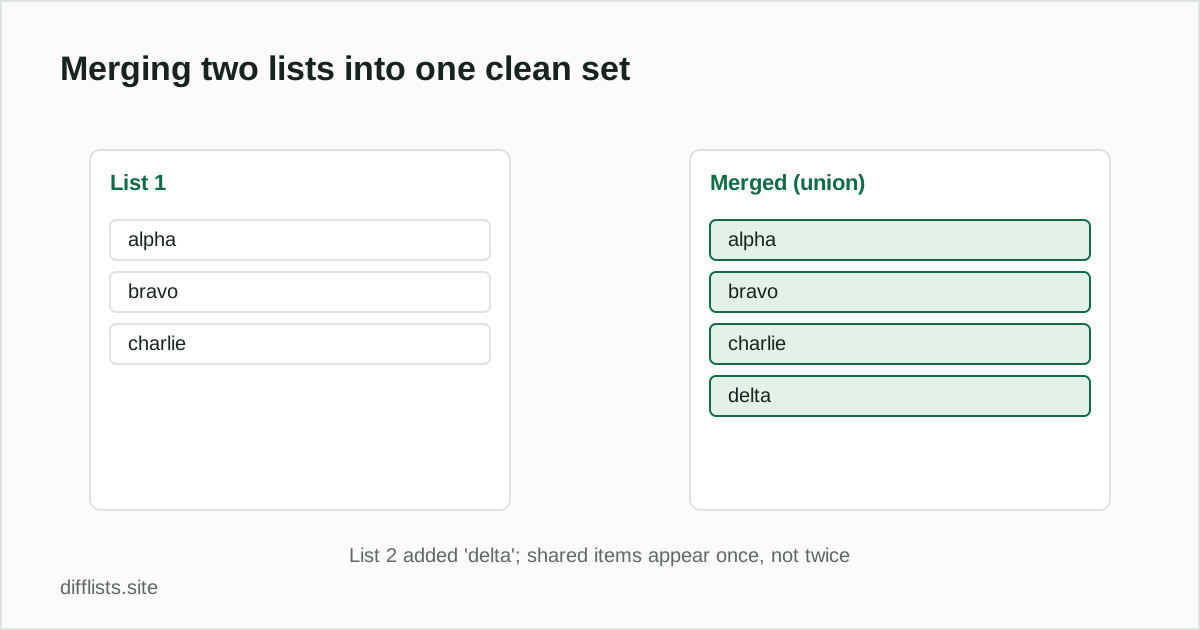
- Merge (union) — combine both lists but keep only one copy of each distinct value. This is what most people mean, and it is the union operation.
- Join — line up records from two lists side by side on a shared key, producing rows with columns from both. That is a spreadsheet VLOOKUP or a database join, not a list merge.
If you want one clean master list out of two overlapping sources, you want the middle one.
Merging two lists in four steps
- Paste the first list into List 1 and the second into List 2.
- Decide whether case and whitespace differences make two entries distinct.
- Compare the two lists.
- Read the union result — that is your merged list — and copy or download it.
Why the union is the merge
The union of two lists is defined as every distinct item that appears in either one. An item present in both contributes a single entry, not two. That is exactly the behavior you want from a merge, and it is why merging and deduplicating are really the same step rather than two: the union has already removed the overlap for you. For the full picture of how union relates to the other set operations, see union vs intersection vs difference.
Check the overlap before you merge
The same comparison that produces the union also tells you how much the two lists overlapped. If you merge a 500-item list with a 400-item list and get 900 items back, the lists were completely disjoint. If you get 520, they overlapped heavily — worth knowing, because a near-total overlap often means you merged two exports of the same data rather than two genuinely different sources.
Keep the merged list clean
Two habits prevent most merge problems. First, strip headers before pasting: a column header that rides along becomes an item in the merged list and quietly pollutes it. Second, apply the same normalization to both sides — if one export has trailing whitespace and the other does not, entries that should collapse into one will stay as two near-identical lines in the merged result.
If the merged output still looks like it has repeats, run it through the duplicates remover with case sensitivity off — that catches variants the merge treated as distinct — or check it for invisible characters that are keeping two identical-looking values apart.
Merging more than two lists
The tool compares two lists at a time, so merging three or more is an iterative job: union the first two, paste that result back in, union it with the third, repeat. It works fine for a handful of sources — see comparing three or more lists for the full approach, including how to keep track of which source each item came from.
Sorting the merged result
A merged list comes back in a deterministic but not necessarily useful order. Turn on natural sort before comparing to get the union ordered, or paste the merged output into the alphabetizerafterward. Natural sort matters if the items are numbered or zero-padded, since plain alphabetical order puts “item-10” before “item-2.”
Merge two lists into one clean set.
Open the comparison toolFrequently asked questions
How do I merge two lists without duplicates?
Paste both lists into a comparison tool and take the union result, which combines every distinct item and collapses anything appearing in both lists into a single entry.
What's the difference between merging and appending two lists?
Appending stacks the second list onto the first and keeps every duplicate. Merging combines them and keeps one copy of each distinct value.
Can I merge two lists and sort the result at the same time?
Yes. Enable natural sort before comparing so the union comes back in order, or run the merged output through an alphabetizer afterward.
How do I merge more than two lists?
Merge the first two, then merge that result with the third, and so on. Each pass takes the union of what you have so far against the next list.
Does merging two lists change the original lists?
No. The merge produces a new combined result; the text you pasted is untouched, and nothing is saved or uploaded anywhere.