Guide · Published September 2026
There is a specific kind of bug that eats an afternoon: two values that are obviously identical refuse to match. Same length on screen, same spelling, same case — and the comparison still says they are different. The culprit is usually a character that renders as nothing at all.
What counts as an invisible character
These are legitimate Unicode characters with legitimate uses that happen to have no visible glyph, documented in the General Punctuation block of the Unicode Character Database:
| Character | Typical source |
|---|---|
| Zero-width space (U+200B) | Copy-pasted web text, line-break hints |
| Zero-width joiner / non-joiner | Emoji sequences, some autocomplete tools |
| Non-breaking space (U+00A0) | Web pages and CMS layout spacing |
| Byte-order mark (U+FEFF) | CSV/text files saved as UTF-8 with BOM |
| Soft hyphen (U+00AD) | Justified text in word processors and PDFs |
| Left-to-right / right-to-left marks | Text mixing writing directions, per the Unicode Bidirectional Algorithm |
Why you cannot find them by eye or by search
A find-and-replace for a space does not match a non-breaking space, because they are different characters. Your editor’s “show whitespace” mode usually marks tabs and ordinary spaces but not zero-width characters, which have no width to mark. And a visual scan cannot work by definition. The only reliable approach is to check each character against a known list, which is what a detector does.
Finding them
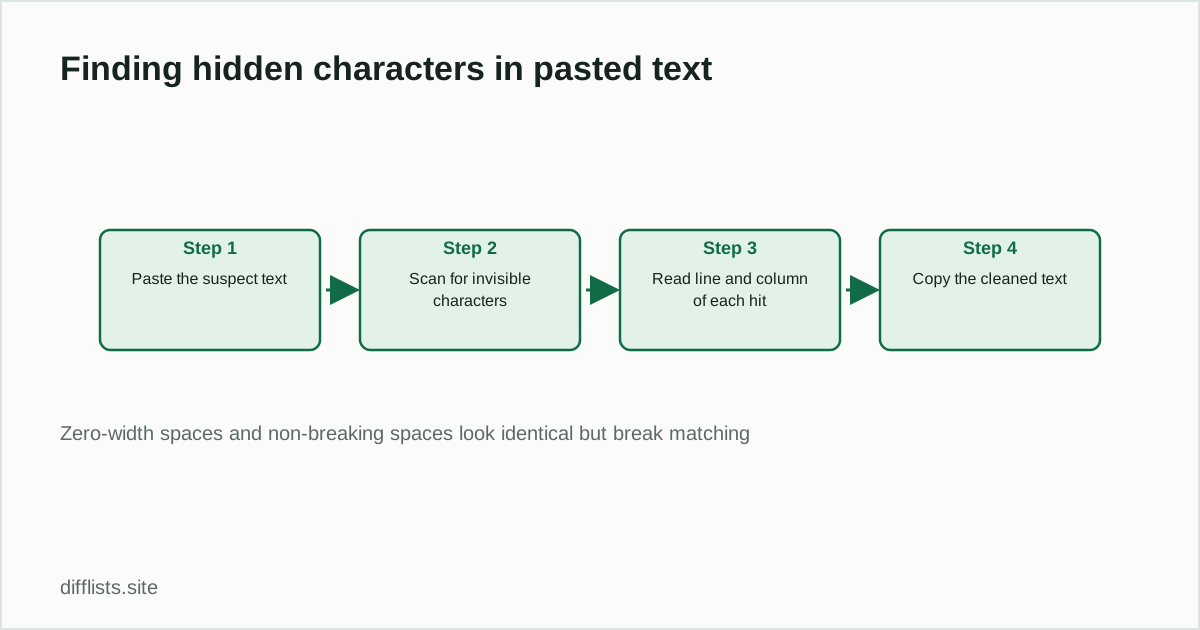
- Paste the text that is misbehaving into the invisible character detector.
- Run the scan.
- Read the results — each hit names the character and gives its exact line and column.
- Copy the cleaned version with every detected character stripped.
The line and column matter more than the count. Knowing that row 47 of your export has a zero-width space at column 12 tells you which record is broken and often which system produced it.
The list comparison connection
This is the single most common cause of “these two lists should match and don’t.” A trailing zero-width space on one export and not the other makes every affected row show up as only-in-List-1 and only-in-List-2 simultaneously — present on both sides, matching on neither. If a comparison returns a suspiciously large symmetric difference on data you expected to mostly overlap, clean both sides before investigating anything else. The normal culprits to rule out first are covered in the duplicates guide (case and ordinary whitespace); invisible characters are what remains when those are handled.
Preventing them at the source
A recurring BOM at the start of every CSV from the same system is not bad luck — it is an export setting. Most tools offer “UTF-8” and “UTF-8 with BOM” as separate options, and picking the former stops the problem permanently. Similarly, if pasted CMS content always arrives with non-breaking spaces, pasting as plain text rather than rich text avoids them. Fixing the export beats cleaning the output every time.
What the detector deliberately ignores
It flags invisible formatting characters, not visible-but-unusual ones. Curly quotes, em dashes and accented letters are all visible and rarely the cause of a matching mystery — if those are your problem, it is a normalization question, handled with case and whitespace settings in the comparison tool rather than by stripping characters. Similarly, for CSV files specifically the encoding issues described in CSV vs TSV often travel together with BOM problems.
Scan text that refuses to match.
Open the detectorFrequently asked questions
What are invisible characters?
Unicode characters that render as nothing visible but still occupy a position in the string — zero-width spaces and joiners, non-breaking spaces, byte-order marks, soft hyphens, and directional marks.
How do I find a zero-width space in text?
Paste the text into a detector that scans for known invisible Unicode characters and reports the line and column of each one. They can't be found by eye or by an ordinary find-and-replace for a space.
Where do invisible characters come from?
Copy-pasting from web pages and PDFs, CMS exports that use non-breaking spaces for layout, CSV files saved with a UTF-8 byte-order mark, and emoji keyboards inserting zero-width joiners.
Can invisible characters break a list comparison?
Yes, and it's one of the most confusing ways for a comparison to fail: two entries look byte-identical on screen but one carries a trailing zero-width space, so they never match.
Is a non-breaking space the same as a regular space?
No. A non-breaking space (U+00A0) looks identical to a normal space (U+0020) but is a different character, so exact string matching treats the two values as different.