Free tool
Calculate Intersection, Union, and Difference
Paste two lists below to instantly calculate the intersection (shared items), the union (everything combined), and both differences — all in one pass.
List 1
Your reference listList 2
The list to reconcileResult
The complete relationship, in one view.
Compare both lists to reveal what stayed, what changed, and the clean master set.
How the set-operation calculator works
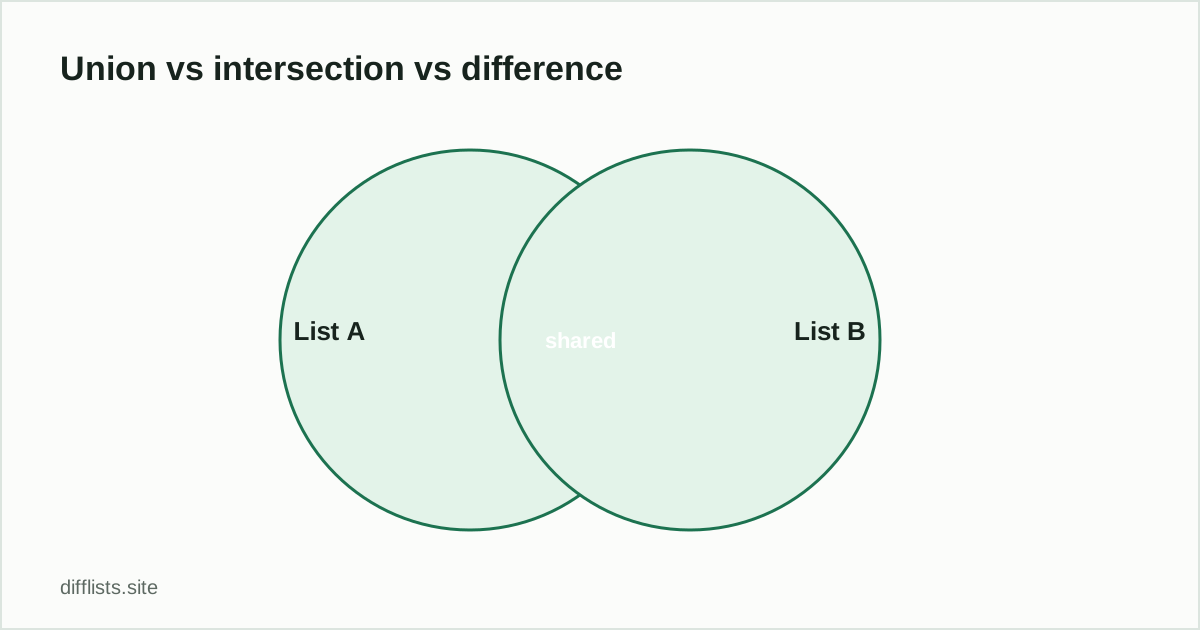
Paste List A and List B above, then compare. This calculator reads out four set operations at once — no need to run separate formulas for each:
- Intersection (A ∩ B): items present in both lists.
- Union (A ∪ B): every distinct item from either list.
- Only in A / Only in B: each list’s unique items.
- Symmetric difference: everything that differs between the lists — equivalent to the union minus the intersection.
Toggle case sensitiveif “Apple” and “apple” should count as different set members, and natural sort to keep numeric IDs in the right order in the results.
Related
For the plain-English explanation of what each operation means with a worked example, read union vs intersection vs difference, explained. For finding duplicated entries specifically, see finding duplicates between two lists.
Common uses for a set-operation calculator
- Homework and coursework: check a union or intersection answer against a real calculation instead of doing it by hand.
- Audience overlap analysis: find the intersection of two customer segments, or the union to build one combined list.
- Access and permissions review: intersect two permission lists to find users with access to both systems.
- Survey or panel research: calculate the union of respondents across two survey waves.
- Merging reference lists: build one deduplicated master list (a union) from two source lists.
A note on set notation
In formal set notation, A ∩ B means intersection, A ∪ B means union, A − B means the difference (only in A), and A △ B means symmetric difference. This calculator computes all of them from the same two pasted lists, so you don’t need to remember the symbols or run separate formulas for each — paste once, read all four results (plus each list’s unique items) from one comparison.
Matching options affect every calculated set the same way: turning on case sensitivemeans “Apple” and “apple” are treated as distinct set members everywhere, not just in one result. If your two lists represent numeric IDs, enable natural sort so the output orders them numerically rather than as plain text.
A worked example
List A: Kyoto, Lisbon, Oslo, Reykjavik, Tallinn. List B: Lisbon, Oslo, Vienna, Zagreb. Paste both in and compare:
- Intersection (A ∩ B): Lisbon, Oslo — present in both.
- Union (A ∪ B): Kyoto, Lisbon, Oslo, Reykjavik, Tallinn, Vienna, Zagreb — every distinct city.
- Only in A: Kyoto, Reykjavik, Tallinn.
- Only in B: Vienna, Zagreb.
- Symmetric difference: Kyoto, Reykjavik, Tallinn, Vienna, Zagreb — everything that didn’t match on either side.
That’s five calculations most people would otherwise work out with pen and paper, or a chain of spreadsheet formulas, done in one paste.
Set operations in a spreadsheet, for comparison
The same four results can be built in Excel or Google Sheets with COUNTIF/MATCHformulas — one helper column per direction for the differences, plus a filter to isolate the intersection — but that’s typically three or four separate formulas to write and keep in sync, and the union still needs a manual dedupe step afterward. This calculator returns all of them from a single paste, which is usually faster for a one-off check, though a spreadsheet formula is still the better choice if the calculation needs to live inside a sheet and recalculate automatically as the underlying data changes.
For a one-off question — “what do these two lists have in common” or “what’s the combined set” — pasting into this calculator and reading the answer directly is almost always less work than building and testing a formula for something you’ll only run once.
Save the formula-writing for calculations that need to live inside the sheet long-term.
How do I calculate the intersection of two lists?
Paste each list into a panel and compare — the Intersection result shows every item present in both lists.
How do I calculate the union of two lists?
The Union result combines every distinct item from both lists, with duplicates removed automatically.
What's the difference between union and intersection?
Union is everything from both lists combined; intersection is only what both lists share.
Can this calculator handle numbers as well as text?
Yes, it compares any text or numeric values pasted one per line or delimited by a comma, tab, or pipe.
Can I calculate the symmetric difference too?
Yes, it's included automatically — the symmetric difference result shows everything that appears in exactly one of the two lists, equal to the union minus the intersection.
Does the calculator show how many items are in each set?
Yes, each result panel and the overview stats show the count for A-only, B-only, the intersection, and the total union.