Free tool
Check Who Unfollowed You on Instagram
Paste your exported Following list into List 1 and Followers list into List 2 below to instantly see mutual follows, one-way follows, and who unfollowed you.
List 1
Your reference listList 2
The list to reconcileResult
The complete relationship, in one view.
Compare both lists to reveal what stayed, what changed, and the clean master set.
How the follower checker works
- In Instagram, go to Accounts Center → Your information and permissions → Export your information and request your followers and following lists.
- Open the export and copy just the usernames into two plain lists, one per line.
- Paste Following into List 1 and Followers into List 2 above, then compare.
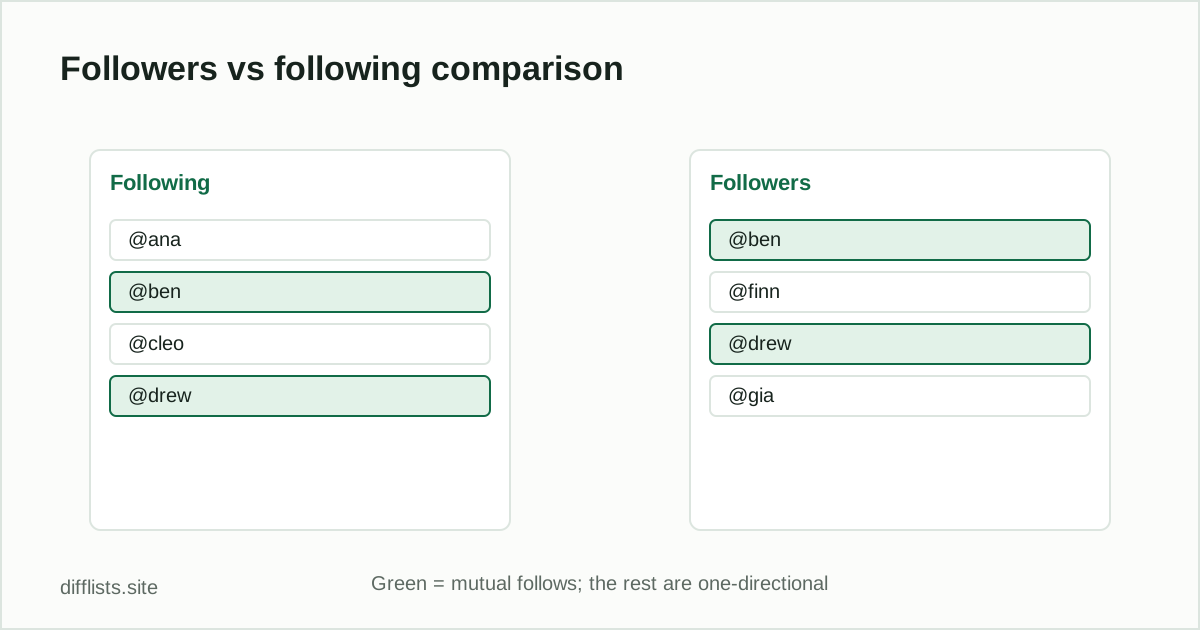
Only in List 1is everyone you follow who doesn’t follow you back. Only in List 2is everyone who follows you that you don’t follow back. Intersection is your mutual follows. To find who specifically unfollowed you, export your followers list again later and compare it against a previous export — accounts that dropped out of the list are the unfollows.
Do this the safe way
Never hand your Instagram login to a third-party “unfollower checker” app — that violates Instagram’s terms and puts your account at risk. This tool never connects to Instagram at all; it only compares the plain-text lists you paste in, entirely in your browser.
Reading your results
| Result | What it means |
|---|---|
| Only in List 1 (Following) | Accounts you follow that don’t follow you back |
| Only in List 2 (Followers) | Accounts that follow you but you don’t follow back |
| Intersection | Mutual follows |
| Union | Everyone across both lists, combined |
Tracking follower changes over time
This tool only compares two lists you provide — it has no memory of past exports. To track who unfollowed you over time, keep dated copies of each followers export as plain text files (for example followers-2026-09-01.txt), then compare the oldest one against the newest whenever you want to check. Accounts that appear in the older export but not the newer one are the accounts that unfollowed you since that date.
The same approach works in reverse to see new followers — compare the newer export against the older one, and read the “only in the new list” result instead. Because everything runs from plain-text files you control, you can keep as long a history of exports as you like without relying on any app to track it for you.
Why not just use an unfollower-tracking app?
Most third-party “who unfollowed me” apps ask for your Instagram username and password directly, which is exactly what Instagram’s terms of service warn against — handing your login to a third party can get flagged as suspicious activity or get the app itself banned from the platform, sometimes taking your account access down with it. Instagram’s own data export exists specifically so you don’t have to take that risk: it’s the same follower and following data those apps would otherwise scrape, obtained through an official, permitted channel instead.
The export step takes a few minutes and Instagram may take some time to prepare the file for larger accounts, but it’s a one-time setup cost against handing a stranger’s app permanent access to your account. Once you have the export saved, every future check is just a paste and a comparison here.
No recurring login, no ongoing account permissions, and no dependency on a third-party service staying online or trustworthy over time. Your export, your files, your comparison — nothing hands off to anyone else at any point in the process.
Related
For the full walkthrough with export steps and tracking changes over time, read how to see who unfollowed you on Instagram.
How do I check who unfollowed me on Instagram?
Export your official followers list now and again later from Accounts Center, then compare the two exports — accounts only in the older list are the ones who unfollowed you.
Does this tool connect to my Instagram account?
No. It never connects to Instagram or asks for your login — you paste your own official data export, and the comparison runs locally in your browser.
Is it safe to use a third-party app that asks for my Instagram password?
No — apps that ask for your Instagram login violate Instagram's terms and risk your account. Only use Instagram's own data export.
How do I see who doesn't follow me back?
Paste your Following list into List 1 and your Followers list into List 2 — the Only in List 1 result is everyone you follow who doesn't follow back.
What format does the Instagram export come in?
Instagram's data export can be requested as JSON or HTML — open the file and copy just the usernames into a plain list, one per line.
Does this work for TikTok or Twitter/X followers too?
Yes — the underlying comparison works for any two exported username lists, not just Instagram, as long as you paste usernames one per line.