Guide · Updated September 2026
Email list comparison helps verify migrations, imports, unsubscribes, and audience changes. Export only the fields you need, compare normalized email addresses as the record key, and keep suppression rules separate from ordinary subscriber additions.
Start with a specific question
- Migration audit: did every eligible contact reach the new platform?
- Suppression check: are unsubscribed or bounced addresses absent from the sendable list?
- Growth check: which addresses are new since the previous export?
- Overlap check: which contacts belong to two segments?
Normalize email addresses carefully
Trim spaces and compare case-insensitively for most operational checks. Do not remove punctuation, dots, plus-tags, or domain parts unless your organization has a documented rule for doing so; providers can interpret addresses differently, and aggressive cleanup can merge distinct subscribers.
Compare the minimum necessary data
If the task only needs email coverage, export and paste only the email column. Avoid copying names, phone numbers, preferences, or engagement data that are not needed for the comparison. DiffLists processes pasted values locally, but data minimization is still a sound operational practice.
Read each output in campaign terms
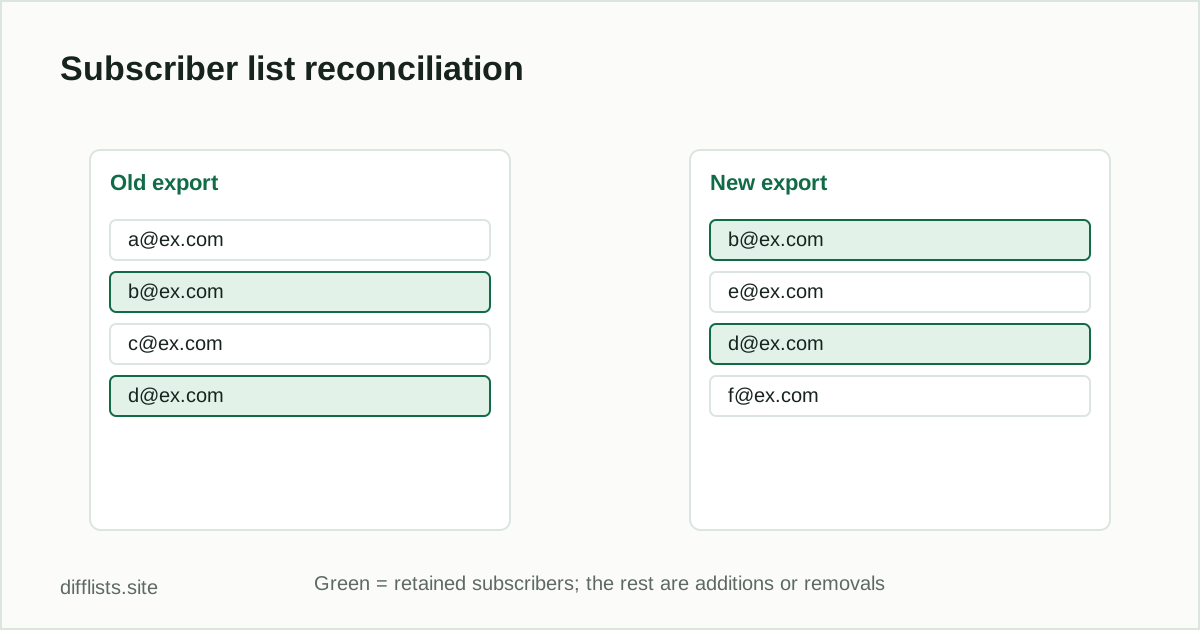
When List 1 is the old export and List 2 is the new export, List 1-only addresses are removals, List 2-only addresses are additions, and the intersection is the retained audience. For a suppression audit, place the suppression list in List 1 and the sendable audience in List 2; the intersection should be empty.
Keep consent and suppression logic outside the diff
A match between exports does not establish marketing consent. Your email platform and consent records remain the authority for subscription status, legal basis, bounces, complaints, and deletion requests — see the FTC’s CAN-SPAM Act compliance guide for what unsubscribe and suppression actually require. Use list comparison to verify record movement—not to override compliance controls.
Subscriber reconciliation checklist
- Date and label both exports.
- Remove headers and non-email fields.
- Trim spaces and ignore blank lines.
- Compare case-insensitively unless your system specifies otherwise.
- Investigate every unexpected address in the symmetric difference.
- Import fixes through the email platform’s approved workflow.
The same retained/added/removed pattern applies to any two audience exports — see how to see who unfollowed you on Instagram for the social-follower version of this same comparison.
Compare subscriber lists without uploading them.
Open the private toolFrequently asked questions
How do I compare two email subscriber lists?
Export only the email column from each source, trim whitespace, compare case-insensitively, and read the intersection (retained), List 1-only (removed), and List 2-only (added) results.
Is it safe to paste subscriber emails into a comparison tool?
DiffLists processes the comparison entirely in your browser tab, so email addresses are never uploaded or stored — but only export the email column, not full CRM records.
How do I check if suppressed addresses were removed correctly?
Put the suppression list in List 1 and the sendable audience in List 2; the intersection should be empty if suppressions applied correctly.
Should I normalize dots or plus-tags in email addresses?
Only if your organization has a documented rule for it — aggressive normalization can incorrectly merge distinct subscribers.