Guide · Published July 16, 2026
A URL inventory comparison shows which crawlable pages survived a redesign, platform move, domain change, or information-architecture update. Compare normalized URL keys, investigate both directional differences, and validate redirects and page status separately before launch.
Build two clearly defined URL inventories
List 1 should represent the old site population you intend to preserve or redirect. Combine sources such as XML sitemaps, a complete crawl, analytics landing pages, backlink exports, and known campaign URLs. List 2 should represent the expected new URLs from the staging or production crawl. Label and date both files.
Normalize URLs without erasing meaning
Decide whether to compare full URLs or paths. For a domain migration, comparing paths often reveals structural changes more clearly. Normalize protocol, hostname case, default ports, fragments, and consistent trailing-slash rules. Do not remove query parameters blindly; some parameters identify indexable content while others are only tracking values.
What each result means in a migration
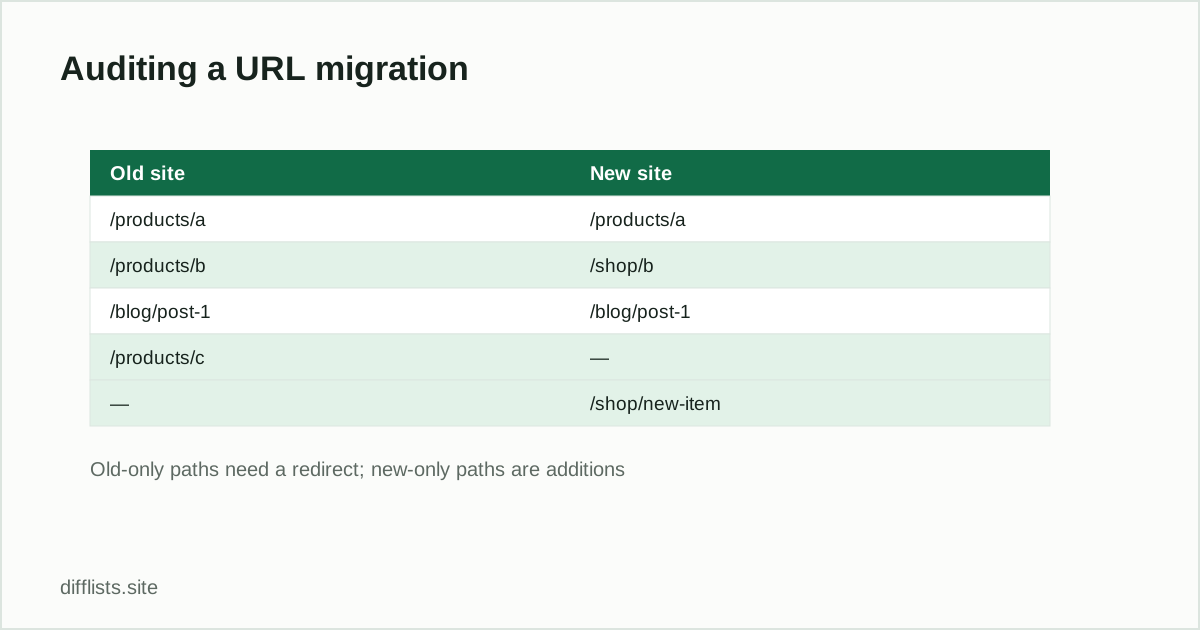
- Old only: pages that need a mapped replacement, intentional retirement, or further investigation.
- New only: newly created pages, changed paths, or unexpected crawl discoveries.
- Intersection: URLs retained exactly after normalization.
- Union: the full URL population observed across both versions.
- Symmetric difference: the migration’s total structural change set.
A list diff does not validate redirects
URL presence is only the first control. For every old-only URL, verify the destination, HTTP status, redirect chain length, canonical target, indexability, internal links, and content relevance — see Google Search Central’s own site-move guidance for what it checks during a migration. A one-to-one redirect to the closest equivalent page is usually more useful than sending many unrelated URLs to the homepage.
Pre-launch URL comparison checklist
- Collect old URLs from more than one source.
- Crawl the new environment using the intended indexability rules.
- Normalize both lists with one documented URL policy.
- Review old-only and new-only groups with page owners.
- Test redirect mappings and final status codes.
- Update internal links, canonicals, hreflang, and XML sitemaps.
- Repeat the comparison immediately after launch and during monitoring.
Use the comparison as an audit trail
Export the exception sets and record why each URL changed. The final report should distinguish intentional removals, merged pages, renamed paths, new pages, and defects. That context helps developers, content owners, and SEO teams resolve issues without debating which inventory is current.
Compare old and new URL inventories privately.
Compare URL listsFrequently asked questions
How do I compare URL lists for an SEO migration?
Paste the old site's crawl or sitemap URLs into List 1 and the new site's into List 2, normalize protocol and trailing slashes consistently, then compare.
Should I compare full URLs or just paths?
For a domain migration, comparing paths usually reveals structural changes more clearly than comparing full URLs with the hostname included.
What does the old-only result mean in a migration audit?
Old-only URLs need a mapped redirect, an intentional retirement, or further investigation — they existed before but aren't in the new crawl.
Does a URL list comparison validate my redirects?
No — it only confirms URL presence. For every old-only URL, separately verify the destination, HTTP status, and redirect chain length.