Guide · Published September 2026
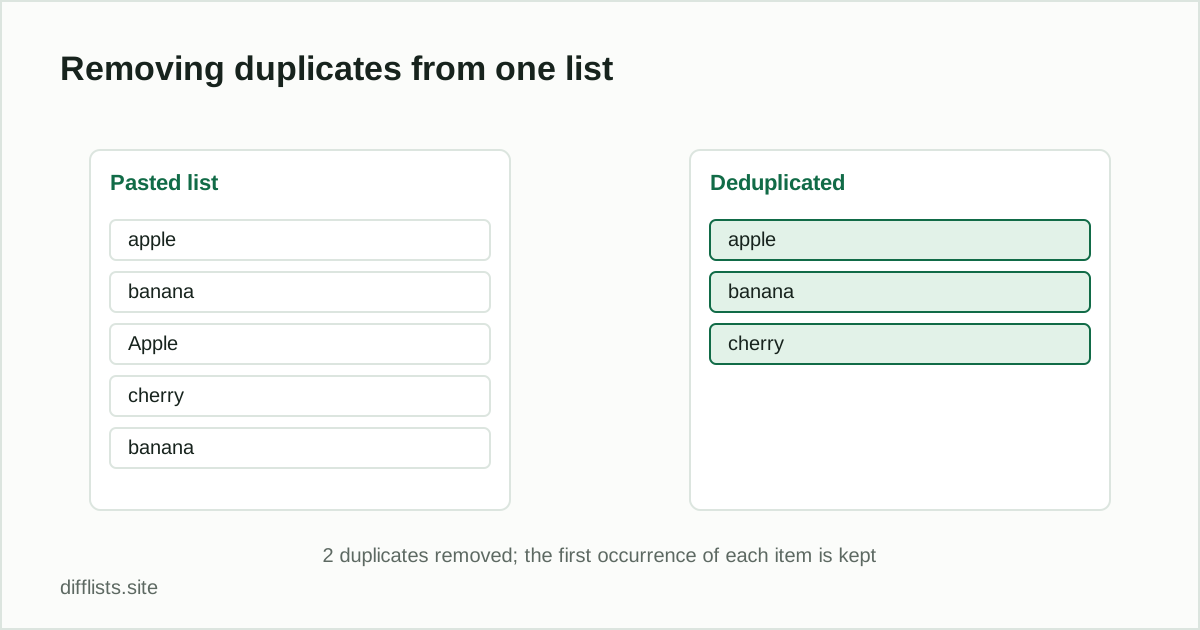
Removing duplicates is the most common list-cleaning task there is, and the mechanics are trivial: keep the first copy of each distinct value, drop the rest. What actually decides whether the result is correct is the definition of “distinct” — and that is a decision you make before you run anything.
Decide what counts as a duplicate first
Three settings change the answer more than any tool choice does:
- Case sensitivity.With it off, “Apple” and “apple” are the same item and one of them goes. With it on, they are two separate items and both stay. Product SKUs and order IDs usually want it on; names and free-text entries usually want it off.
- Whitespace trimming. A trailing space makes two otherwise identical entries different as text. Trimming is on by default in most tools for exactly this reason, and turning it off is rarely what you want.
- Blank lines.An empty line is technically a value. Ignoring blanks stops a run of empty rows at the end of a paste from being treated as one more “item” that survives deduplication.
The four-step version
- Paste the list, one item per line (or delimited — the separator can be auto-detected).
- Set case sensitivity and trimming to match how you want items compared.
- Run the deduplication and read the count of removed items.
- Copy or download the cleaned list.
That removed count is the most useful number on the screen: if it comes back as zero on a list you know has repeats, the matching rules are wrong, not the list.
First occurrence wins — and why that matters
Deduplication keeps the firstcopy it encounters and discards later ones, preserving that first entry’s exact capitalization and spacing. If your list has “ACME Corp” early and “acme corp” later, the uppercase version survives. When the surviving variant matters — say you want the properly capitalized version to win — sort the list with the alphabetizer first so you can see and control which one lands first.
Duplicates within one list vs. between two lists
These are different operations and people conflate them constantly. Repeats inside one list are a cleanup job — that is this guide. Items that appear in bothof two separate lists are the intersection, which is a comparison job. If you have last month’s export and this month’s and want to know which records exist in both, that is finding duplicates between two lists, not deduplication.
When a duplicate isn’t really a duplicate
Exact-match deduplication cannot catch “Bob Smith” vs. “Robert Smith,” or the same company written as “ACME” and “ACME Inc.” Those are fuzzy duplicates and no tool on this site will merge them, because doing so automatically would mean guessing. Normalize the data first (pick a canonical form for the field), then deduplicate the normalized values.
The opposite trap is a pair that should match and refuses to. If case and whitespace are handled and two entries still register as different, the cause is usually an invisible character — a zero-width space or a non-breaking space pasted in from a web page. Run the text through the invisible character detector before assuming the deduplication is broken.
Doing it in code instead
If this is a recurring step in a script rather than a one-off cleanup, every language has a one-liner for it — the same operation across Python, pandas, SQL, JavaScript and PowerShell covers all five with the order-preservation caveats for each.
Verify before you overwrite anything
Compare the item count before and after. The difference should equal the number of duplicates you expected; if it is much larger, your matching rules are too loose and you are collapsing records that were genuinely distinct. This is worth thirty seconds of checking before you paste the result back over a source file.
Clean a list in one paste.
Open the duplicates removerFrequently asked questions
How do I remove duplicates from a list quickly?
Paste the list into a deduplication tool, choose whether case and whitespace matter, and copy the cleaned result. For a list that already lives in a spreadsheet, the built-in Remove Duplicates command is usually faster.
Which copy of a duplicate gets kept?
The first occurrence is kept and every later repeat is dropped, including its exact capitalization and spacing. Sort the list first if you want to control which variant survives.
Why didn't a visible duplicate get removed?
Almost always whitespace or case. "Item" and "item " look identical but differ as text, so enable trimming and case-insensitive matching — or scan for hidden characters if they still won't match.
Does removing duplicates change the order of my list?
No. Deduplication preserves the original order of the surviving items; only the repeated entries disappear.
How is this different from finding duplicates between two lists?
This removes repeats within one list. Duplicates across two separate lists are the intersection of those lists, which is a comparison rather than a cleanup.