Guide · Published September 2026
CSV and TSV are the same idea with one character changed. Both are plain text, both put one record per line, both optionally start with a header row. The only structural difference is what sits between the values — a comma or a tab — and that single choice has consequences that show up the moment your data gets messy.
The same table, two formats
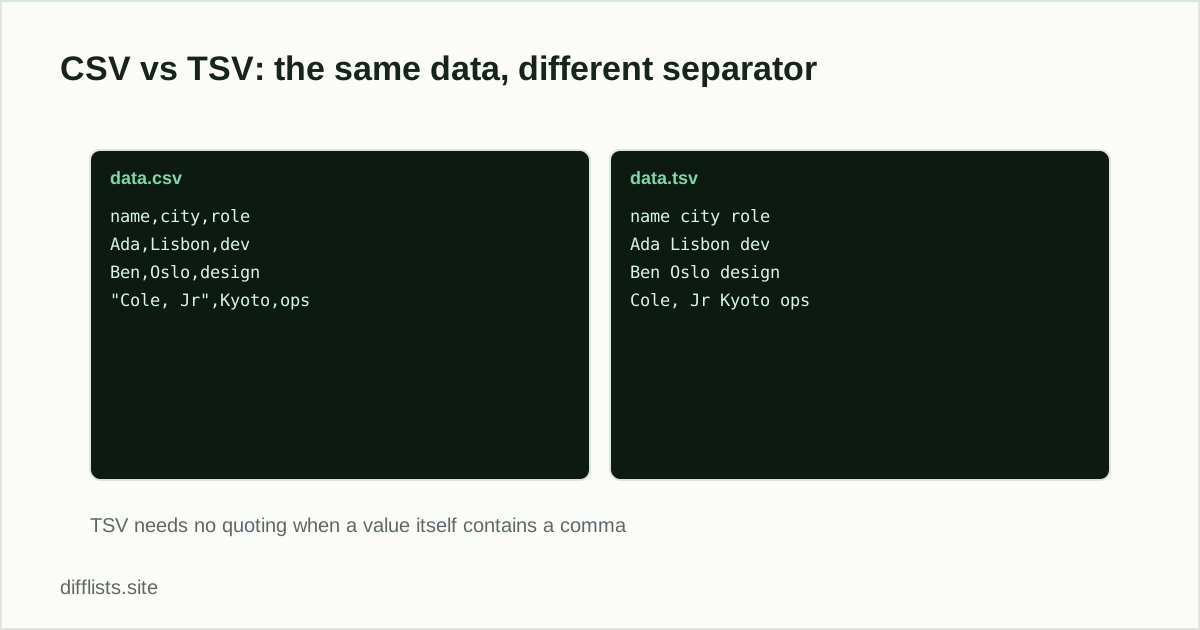
A CSV row looks like Ada,Lisbon,dev. The TSV equivalent is Ada→Lisbon→dev, where each arrow is a literal tab character. For clean data, the two are interchangeable and equally readable.
Where they diverge: values containing the separator
The problem case is a value that contains the separator itself. Commas appear inside ordinary text constantly — “Cole, Jr”, “Amsterdam, NL”, “1,250” — so CSV’s RFC 4180 specification has it escape them by wrapping the value in double quotes: "Cole, Jr",Kyoto,ops. That works, but it introduces a second problem: what if the value contains a double quote? Now it has to be doubled up too, and the format starts requiring a real parser rather than a split on commas.
Tabs almost never occur inside a value, because typing one usually moves focus to the next field rather than inserting a character. So TSV mostly sidesteps quoting entirely — the registered text/tab-separated-values media type doesn’t define a quoting mechanism at all. That is TSV’s real advantage, and it is why a lot of data-engineering pipelines prefer it.
Where CSV wins: ubiquity
CSV is the default export from nearly every system that exports tabular data, and double-clicking a .csv opens it in Excel or Sheets without a dialog. TSV often needs the import path instead. If you are handing a file to someone non-technical, CSV is the lower-friction choice regardless of what is technically cleaner.
Both formats share the same weaknesses
- Leading zeros. Neither format carries type information, so a spreadsheet opening
00142is free to decide it is the number 142. Import identifier columns as text. - Embedded newlines. A line break inside a value breaks the one-record-per-line assumption. CSV has a quoting convention for it that many parsers get wrong; TSV has no real convention at all.
- Encoding. Neither declares its character encoding. A UTF-8 file opened as Latin-1 produces mangled accented characters, and a byte-order mark at the start of the file can attach itself to the first header name.
Which one to use for a comparison
When you are comparing two exports, the format matters less than telling your tool which separator the file actually uses. Set the separator explicitly — comma, semicolon, tab, or pipe — or let auto-detection pick it, then check that the first few parsed items look like single values rather than whole rows. See how to compare two CSV files or columns for the key-column approach that makes multi-column comparisons reliable.
One practical tip: if you control the export and the data contains commas inside values — addresses, company names, free-text notes — choose TSV. You will spend less time debugging a parser that split “Amsterdam, NL” into two columns.
If the two files are not really tables but plain text, a line-by-line diff answers a different and often better question — see comparing two text files online. And if a file refuses to parse at all despite looking correct, check it for a byte-order mark with the invisible character detector before rewriting your parser.
A third option: semicolons
In locales where the comma is the decimal separator (much of Europe), Excel exports “CSV” files that are actually semicolon-separated. This catches people out constantly when a file from a colleague refuses to parse. If a CSV looks like it has one giant column, try semicolon as the separator before assuming the file is corrupt.
Converting between them
Conversion is a find-and-replace on the separator, with one caveat: if the CSV has quoted values containing commas, a naive replace will corrupt them. Open the file in a spreadsheet and re-export in the target format instead — the spreadsheet handles the quoting rules correctly in both directions.
Compare two exports in either format.
Open the CSV comparerFrequently asked questions
What is the difference between CSV and TSV?
Both are plain-text table formats. CSV separates values with commas and TSV separates them with tabs. Everything else — rows on separate lines, an optional header row — is the same.
Is TSV better than CSV?
TSV is more robust for data containing commas, since tabs rarely appear inside values and so rarely need escaping. CSV is more widely supported by default. Neither is universally better.
Can Excel open a TSV file?
Yes. Excel and Google Sheets both read tab-separated files, though a .tsv extension may need to be opened via the import dialog rather than double-clicked.
Which format should I export for comparing two files?
Either works, as long as you tell the comparison tool which separator the file uses. Choose TSV if your data contains commas inside values, such as addresses or company names.
Do CSV and TSV handle line breaks inside a value the same way?
Both struggle with it. A newline inside a quoted CSV value is technically legal but breaks many naive parsers; TSV has no widely-followed convention for it at all. Strip or replace embedded newlines before exporting either format.