Guide · Published September 2026
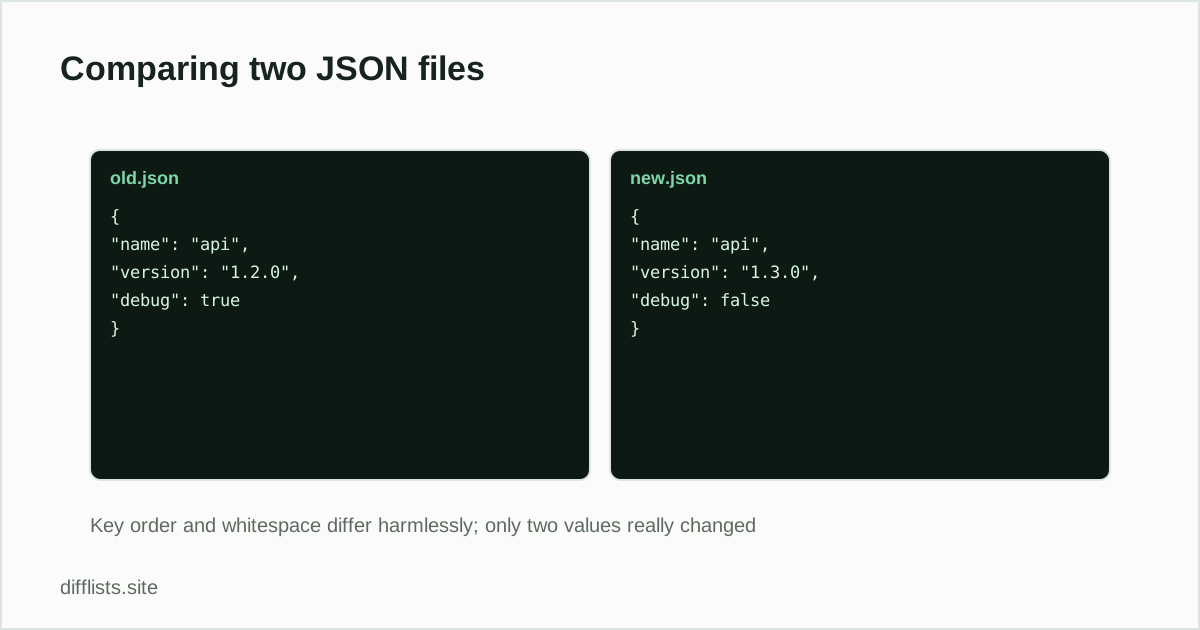
Diffing JSON with a plain text tool has a reputation for being useless, and the reason is always the same: the diff reports dozens of changes in files that are, semantically, nearly identical. The fix is not a smarter diff tool. It is normalizing both files first so the comparison sees structure instead of formatting.
Why raw JSON diffs are noisy
- Key order is not meaningful. Per RFC 8259, JSON objects are unordered by definition. Two systems serializing the same data can emit keys in different orders, and a line diff will report every moved key as a deletion plus an insertion.
- Indentation varies. Two spaces versus four, or minified versus pretty-printed, makes every single line different even when nothing changed.
- Trailing commas and whitespace. Cosmetic in effect, textual in a diff.
Normalize, then diff
The preparation step is short and it is the whole trick:
- Pretty-print both files with identical indentation.
- Sort the object keys consistently in both.
- Diff the normalized output.
On the command line jq -S . file.json does both at once — -S sorts keys and jq pretty-prints by default. In Python, json.dumps(data, indent=2, sort_keys=True)is the equivalent. Most editors have a “format document” command that handles the indentation half, though not usually the key sorting.
Once both sides are normalized, paste them into the text diff tool. Every line the diff now marks is a real change to a value or to the structure, not an artifact of how the file was written.
What a text diff still won’t understand
Normalization fixes formatting noise, not semantics. Two cases remain awkward. Array order is meaningful in JSON, so a genuinely reordered array shows up as a series of deletions and insertions — which is technically correct but not how you think about it. And a value changing type (the string "5" becoming the number 5) appears as an ordinary line change, with the quotes as the only visual clue that anything structural happened. For rigorous structural comparison a dedicated JSON-diff library is the right tool; for reviewing a config change or an API response, a normalized text diff is usually enough.
Comparing just the keys
A common real question is narrower than a full diff: which keys exist in one file and not the other? That is a set comparison, not a diff. Extract the key names into two plain lists, one key per line, and compare them with the list comparison tool. The only-in-A and only-in-B results give you added and removed keys directly, with none of the values cluttering the output.
jq -r 'keys[]' file.jsonproduces exactly that list. This is the fastest way to answer “did this API response gain or lose any fields?”
Config files specifically
The most common reason to diff two JSON files is comparing configuration between environments — staging versus production, or before versus after a deploy. Normalize both, diff them, and read the result as a change list. Two warnings for this case: secrets and tokens frequently live in these files, so use a tool that processes locally rather than uploading (this one runs entirely in your browser tab), and remember that a value being absent is different from a value being null — a diff will show you the first clearly and the second easily missed.
Related comparisons
For tabular data the equivalent workflow is a key-column comparison rather than a line diff — see comparing two CSV files. For plain prose or code, the straightforward line diff in comparing two text files online applies without the normalization step.
Normalize both files, then diff them here.
Open the text diff toolFrequently asked questions
Why does my JSON diff show changes everywhere?
Almost always key order or formatting. JSON objects have no guaranteed key order, so two serializers can emit the same data in different orders. Sort keys and pretty-print both files with the same indentation before diffing.
Does key order matter in JSON?
Not semantically — two objects with the same keys and values are equivalent regardless of order. It matters enormously to a text diff, which compares lines, not structure.
Can a text diff compare JSON properly?
Once both files are normalized, yes, for most practical purposes. A text diff won't understand that moving an array element is a reorder rather than a delete plus an insert, but for config and API-response comparison it's usually enough.
How do I compare just the keys of two JSON files?
Extract the key names into two plain lists — one per line — and run a set comparison. That tells you which keys were added or removed without the values getting in the way.