Guide · Published September 2026
Deleting rows is permanent, so duplicate removal in SQL is worth doing carefully — preview exactly what you’re about to delete before you delete it.
Step 1: find the duplicates with ROW_NUMBER()
SELECT *, ROW_NUMBER() OVER (PARTITION BY email ORDER BY id) AS rn FROM customers
PARTITION BY emailgroups rows by the column that defines a “duplicate,” and ROW_NUMBER() numbers each row within its group starting from 1. Any row with rn > 1 is a duplicate of an earlier row in that group.
Step 2: preview what would be deleted
SELECT * FROM (SELECT *, ROW_NUMBER() OVER (PARTITION BY email ORDER BY id) AS rn FROM customers) t WHERE rn > 1
Run this as a plain SELECTfirst. Every row it returns is a row the next step will delete — confirm that’s actually what you want before proceeding.
Step 3: delete the duplicates
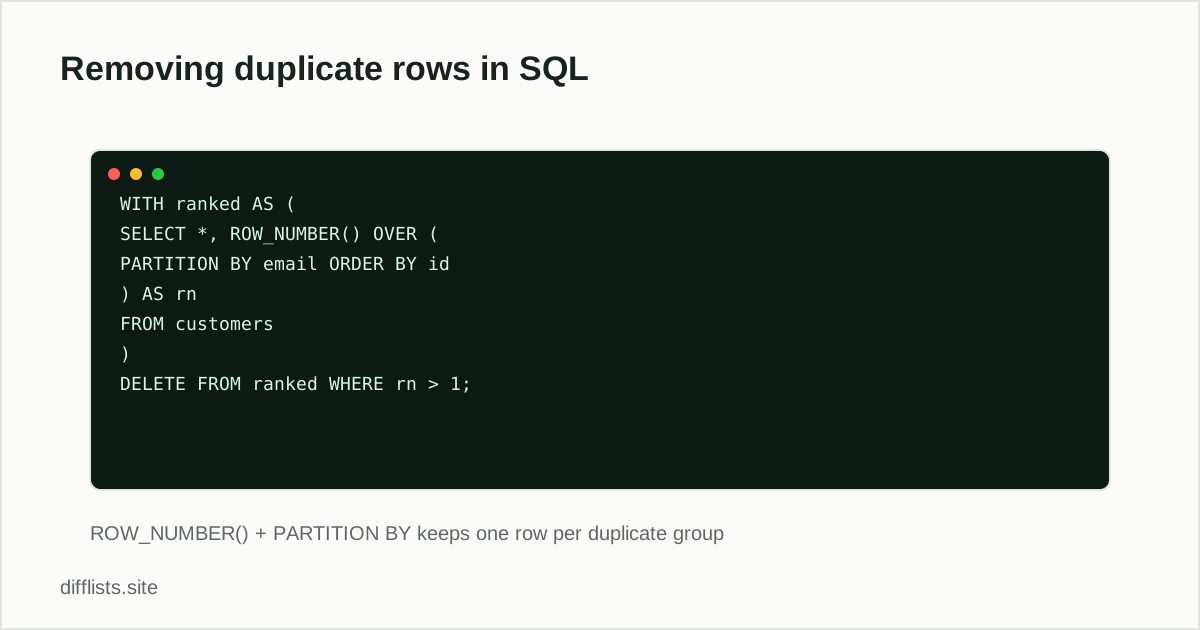
WITH ranked AS (SELECT *, ROW_NUMBER() OVER (PARTITION BY email ORDER BY id) AS rn FROM customers) DELETE FROM ranked WHERE rn > 1
Using a CTE (WITH ranked AS (...)) and deleting from it is supported in PostgreSQL and SQL Server. In MySQL, delete via a join back to the same table on its primary key instead, since MySQL doesn’t allow deleting directly from a CTE.
When you don’t need to delete anything
If the goal is just a de-duplicated result set for a report — not a permanent change to the table — SELECT DISTINCT or GROUP BY is simpler and leaves the underlying data untouched:
SELECT DISTINCT email FROM customers or SELECT email, COUNT(*) FROM customers GROUP BY email HAVING COUNT(*) > 1 to find which values are duplicated in the first place.
Back up before you delete
Deletes in SQL are permanent the moment they commit, and a duplicate-removal query touching the wrong partition key can delete far more than intended. Before running the DELETE on anything you can’t easily reconstruct, either wrap it in a transaction you can roll back if the row count looks wrong (BEGIN; DELETE ...; -- check the count, then COMMIT or ROLLBACK), or copy the table first:
CREATE TABLE customers_backup AS SELECT * FROM customers;
Getting the row count right
After deleting, compare row counts to confirm the result matches expectations: SELECT COUNT(*) FROM customers before and after. If the count dropped by more than the number of duplicate rows you previewed in step 2, stop and investigate before doing anything else — that usually means the PARTITION BYcolumn wasn’t as unique a key as assumed.
MySQL without CTE deletes
Versions of MySQL that don’t support deleting from a CTE directly need a self-join instead, deleting the higher-numbered duplicate by its primary key:
DELETE c1 FROM customers c1 JOIN customers c2 ON c1.email = c2.email AND c1.id > c2.id
This keeps the row with the lowest id for each email and deletes the rest.
Run inside a transaction on a production table, so a bad match on the join condition can be rolled back before it commits.
Same idea in other languages
Deduping a pandas DataFrame instead of a live table? See removing duplicate rows in pandas. For a plain list, see removing duplicates from a Python list.
No code required
To find duplicate values in an exported column without writing SQL, paste it into the duplicates remover instead.
Checking an exported column instead of a live table?
Open the duplicates removerFrequently asked questions
What's the safest way to delete duplicate rows in SQL?
Run the ROW_NUMBER()/PARTITION BY query as a SELECT first to see exactly which rows would be deleted, before changing it to a DELETE statement.
How is DISTINCT different from deleting duplicates?
SELECT DISTINCT returns unique rows in a query's output without changing the underlying table. Deleting duplicates permanently removes the extra rows from the table itself.
Which row does ROW_NUMBER() keep?
Whichever row gets rn = 1 within its PARTITION BY group, which depends on the ORDER BY clause — order by id ASC to keep the earliest row, or a timestamp DESC to keep the most recent.
Does every database support ROW_NUMBER()?
Most modern databases do (PostgreSQL, SQL Server, MySQL 8+, Oracle). Older MySQL versions need a self-join or a correlated subquery instead.